

🚀 GenAI Is Revolutionizing Helm Config Management and Kubernetes Audits

Kubernetes is powerful, but managing it has always been complex. Helm simplified packaging, yet even Helm charts often balloon into massive forests of YAMLs . A single application deployment can involve dozens of interconnected configs:
Services (ClusterIP, NodePort, LoadBalancer) ⚡
NAS (Network storage )💾
ConfigMaps and Secrets 🔐
Server side nginx reverse proxy🌐
RBAC policies for audits 🛡️
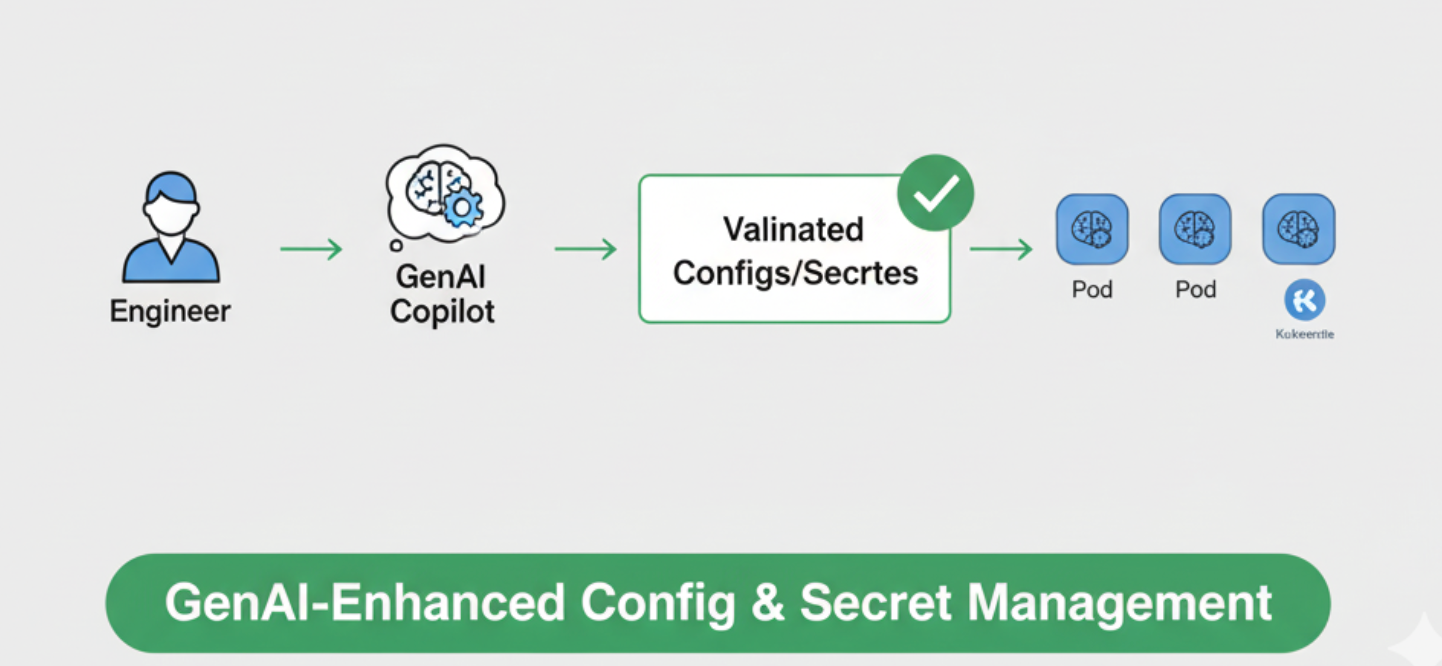
This complexity is exactly where Generative AI (GenAI) is becoming a game-changer. Instead of endless trial-and-error, GenAI acts as a copilot — helping engineers generate configs, validate them, and even run audit checks for security and compliance.
🌍 Life Before GenAI vs After GenAI :
Here’s a quick snapshot of how workflows have changed with GenAI:

Kubernetes Services: ClusterIP, NodePort, LoadBalancer :
One of the first hurdles when migrating applications from Docker to Kubernetes is networking. In Docker, containers communicate easily through bridge networks, but Kubernetes introduces service abstraction, which gives you powerful flexibility — but also adds complexity. Choosing the wrong service type can lead to downtime, security risks, or inaccessible pods.

Here’s a quick breakdown of the three primary service types:

How I Used This in My Project :
We had 3–4 microservices and multiple databases (Postgres, MongoDB, Neo4j). Before GenAI, I spent hours figuring out:
Which services should be internal only (ClusterIP)
Which needed external access (NodePort or LoadBalancer)
How to avoid port collisions and misrouted traffic
With GenAI, I simply provided a high-level description of each service, and it generated suggestions:
apiVersion: v1
kind: Service
metadata:
  name: user-service
spec:
  type: ClusterIP
  selector:
    app: user-service
  ports:
    - protocol: TCP
      port: 80
      targetPort: 8080
It also highlighted services that might need LoadBalancer exposure and suggested TLS termination at the ingress level. This saved hours of trial-and-error while improving security posture.
Key Takeaways : -
GenAI helps map services to the correct exposure type.
Avoids accidental external exposure of internal services.
Can automate port assignment and suggest cloud annotations.
💾 Persistent Volumes, PVCs & NAS Integration for Databases :
Migrating applications from Docker to Kubernetes introduces a new level of complexity when it comes to persistent storage. Databases like Postgres, MongoDB, and Neo4j need reliable storage that survives pod restarts, redeployments, and scaling events. In Kubernetes, Persistent Volumes (PV) and Persistent Volume Claims (PVC) handle this, but choosing the right storage class, access mode, and reclaim policy can be tricky.
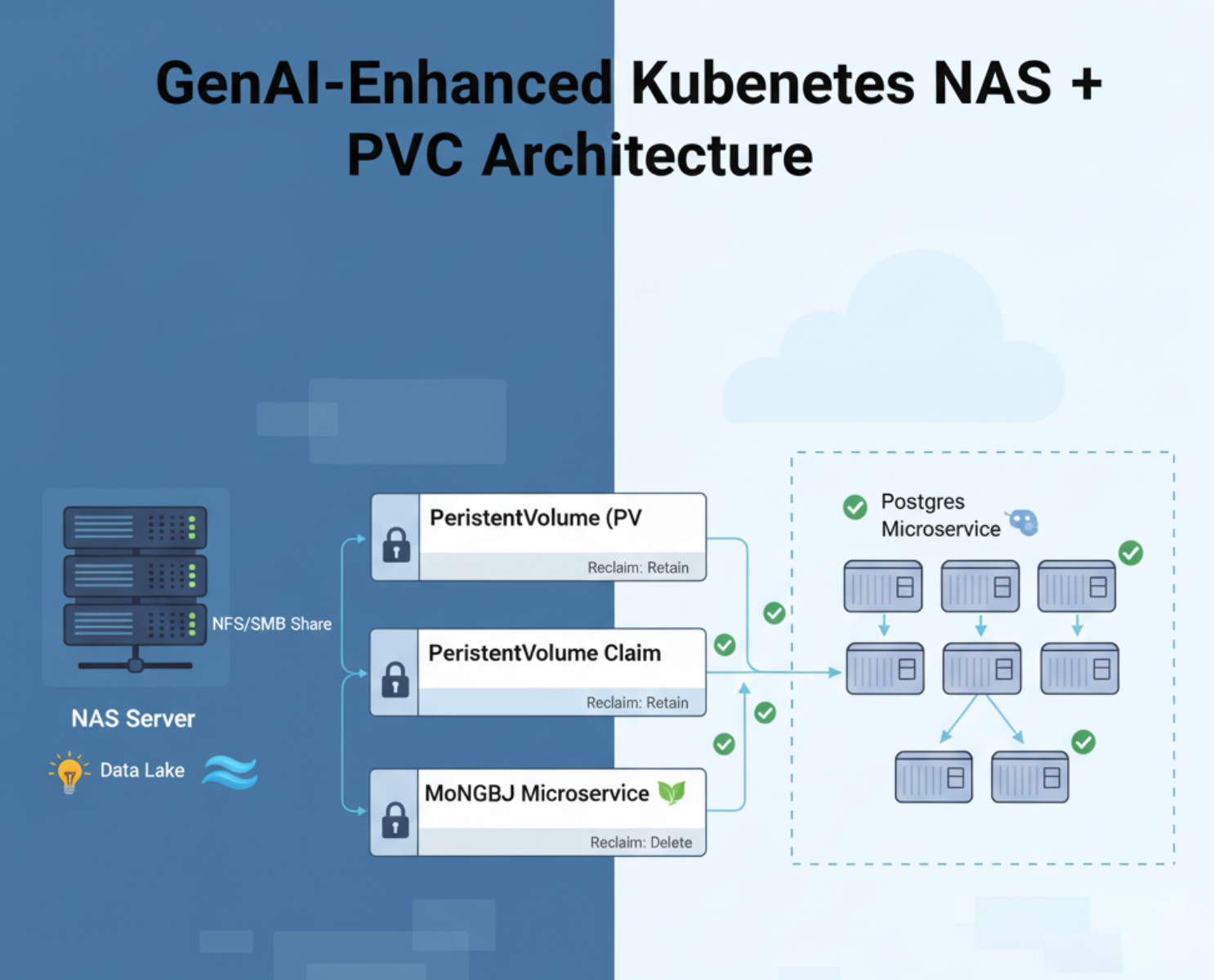
In my setup leveraged a NAS (Network Attached Storage) server to provide shared storage across pods and environments. This approach ensures:
Centralized storage management 📂
Easy scaling for multiple pods accessing the same volume 🔗
High availability and persistence across deployments 🚀

Example: PVC for Postgres on NAS
apiVersion: v1
kind: PersistentVolume
metadata:
  name: postgres-pv
spec:
  capacity:
    storage: 50Gi
  accessModes:
    - ReadWriteMany
  nfs:
    path: /mnt/nas/postgres
    server: 10.0.0.50
---
apiVersion: v1
kind: PersistentVolumeClaim
metadata:
  name: postgres-pvc
spec:
  accessModes:
    - ReadWriteMany
  resources:
    requests:
      storage: 50Gi
Key points:
ReadWriteManyallows multiple pods to access the same volume simultaneously.NAS path
/mnt/nas/postgresensures centralized storage.GenAI can suggest appropriate access modes and size based on database type and expected load.
Real-World Impact:
💡 Centralized, shared storage for all database pods.
🔒 Reduced risk of data loss thanks to AI-recommended reclaim policies.
🚀 Faster deployments with correct PVC templates on first try.
🖧 NAS integration handled safely without trial-and-error.
🔐 ConfigMaps & Secrets for Microservices :
When migrating from Docker Compose to Kubernetes, one of the biggest hurdles is managing environment-specific configurations (DB URLs, service ports, feature flags) and sensitive credentials (API keys, passwords, tokens).
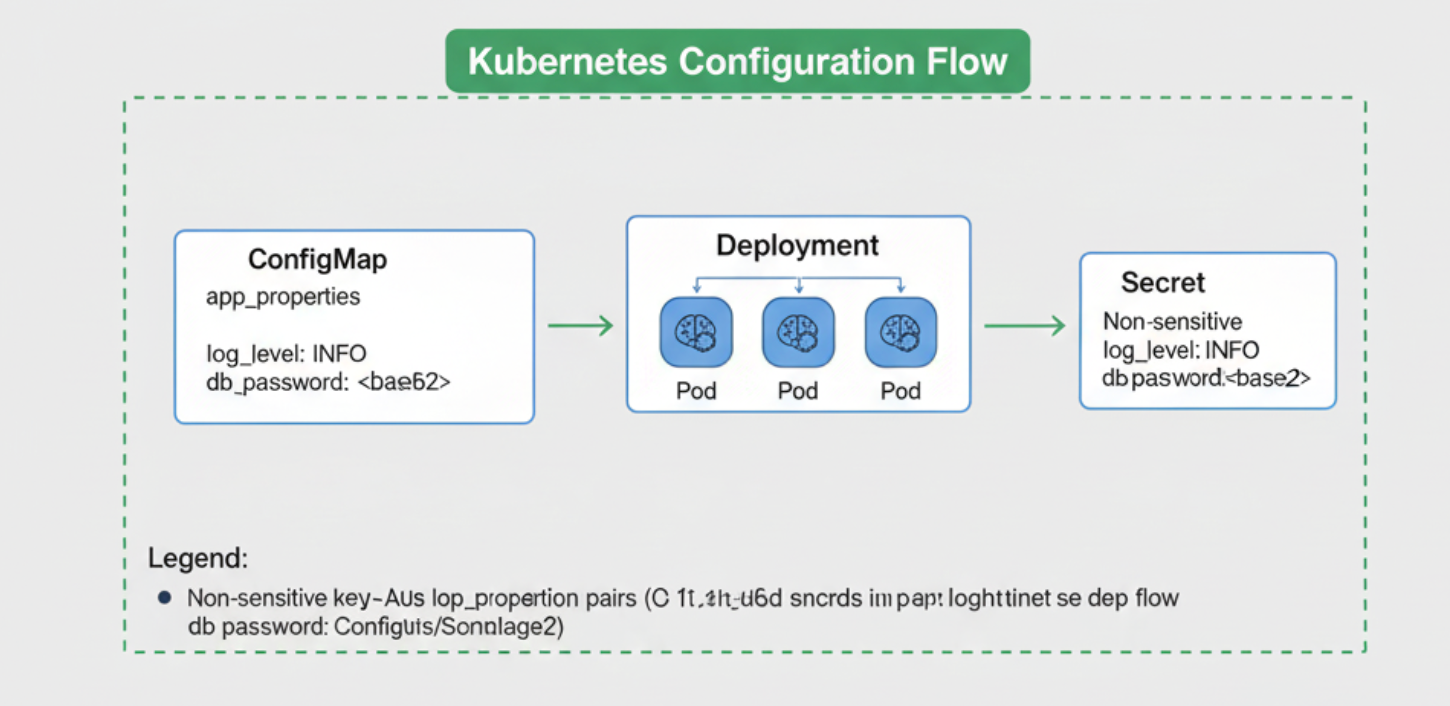
ConfigMap flow
In Kubernetes, these are managed via:
ConfigMaps — for non-sensitive data (like app configs, environment variables).
Secrets — for sensitive data (like DB passwords, API tokens).
But managing dozens of microservices, each with its own set of configs, quickly becomes error-prone. Engineers often:
Copy-paste YAMLs with minor edits ⚠️
Forget to base64 encode secrets ❌
Struggle with mounting configs into containers 📦
That’s where GenAI steps in as a Copilot 🤖.
Old Way vs GenAI Way
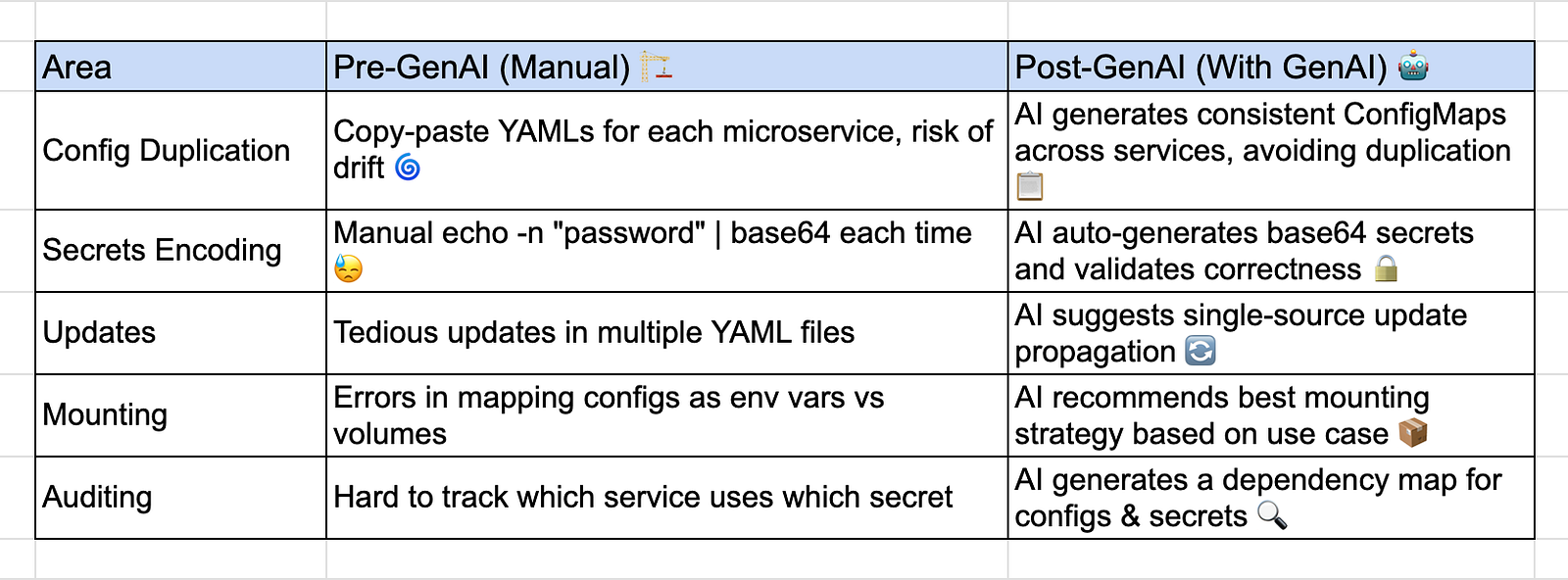
Example: Postgres Config & Secret for a Microservice
apiVersion: v1
kind: ConfigMap
metadata:
  name: orderservice-config
data:
  DB_HOST: postgres-service
  DB_PORT: "5432"
  FEATURE_FLAG: "true"
---
apiVersion: v1
kind: Secret
metadata:
  name: orderservice-secret
type: Opaque
data:
  DB_USER: b3JkZXJfdXNlcg==   # base64 encoded
  DB_PASSWORD: c2VjdXJlUGFzcw== # base64 encoded
Deployment usage example:
containers:
- name: order-service
  image: myrepo/orderservice:1.0
  envFrom:
    - configMapRef:
        name: orderservice-config
    - secretRef:
        name: orderservice-secret
How GenAI Helps in Real Life 🌟
✅ Auto-suggests missing keys (e.g., forgot DB_PORT → AI adds it).
🔒 Prevents accidental plaintext passwords by converting them into secrets.
📋 Generates service-specific configs while ensuring consistency.
🔍 Creates an audit trail of which pod uses which secret.
⎈ Helm Charts & GenAI Copilot :
After setting up storage (PVCs, NAS) and configurations (ConfigMaps & Secrets), the next big challenge was standardizing deployments across microservices.
Without Helm, you’d end up with:
50+ YAML files 😵
Lots of duplication (same
Deployment,Service,Ingresswith small changes)Hard to maintain consistency across environments (dev, staging, prod)
Helm solves this by providing Charts (blueprints of Kubernetes apps). But writing Helm templates manually can be tricky — especially with:
Overly complex templating logic (
if/else,range) 🌀Huge
values.yamlfilesInconsistent chart structures across teams
This is exactly where GenAI revolutionizes the workflow 🚀.
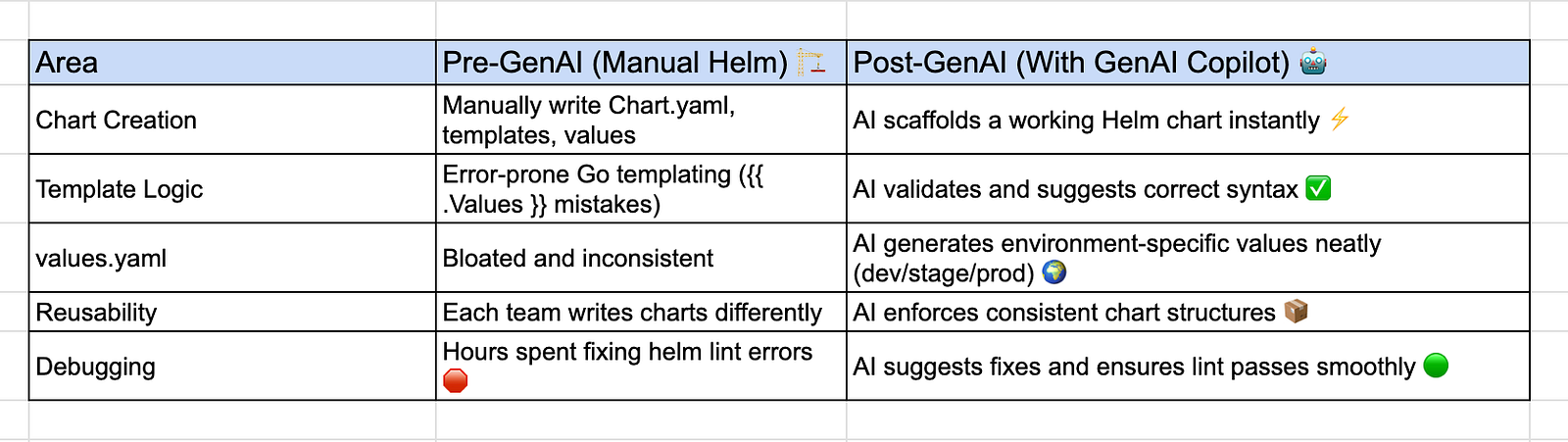
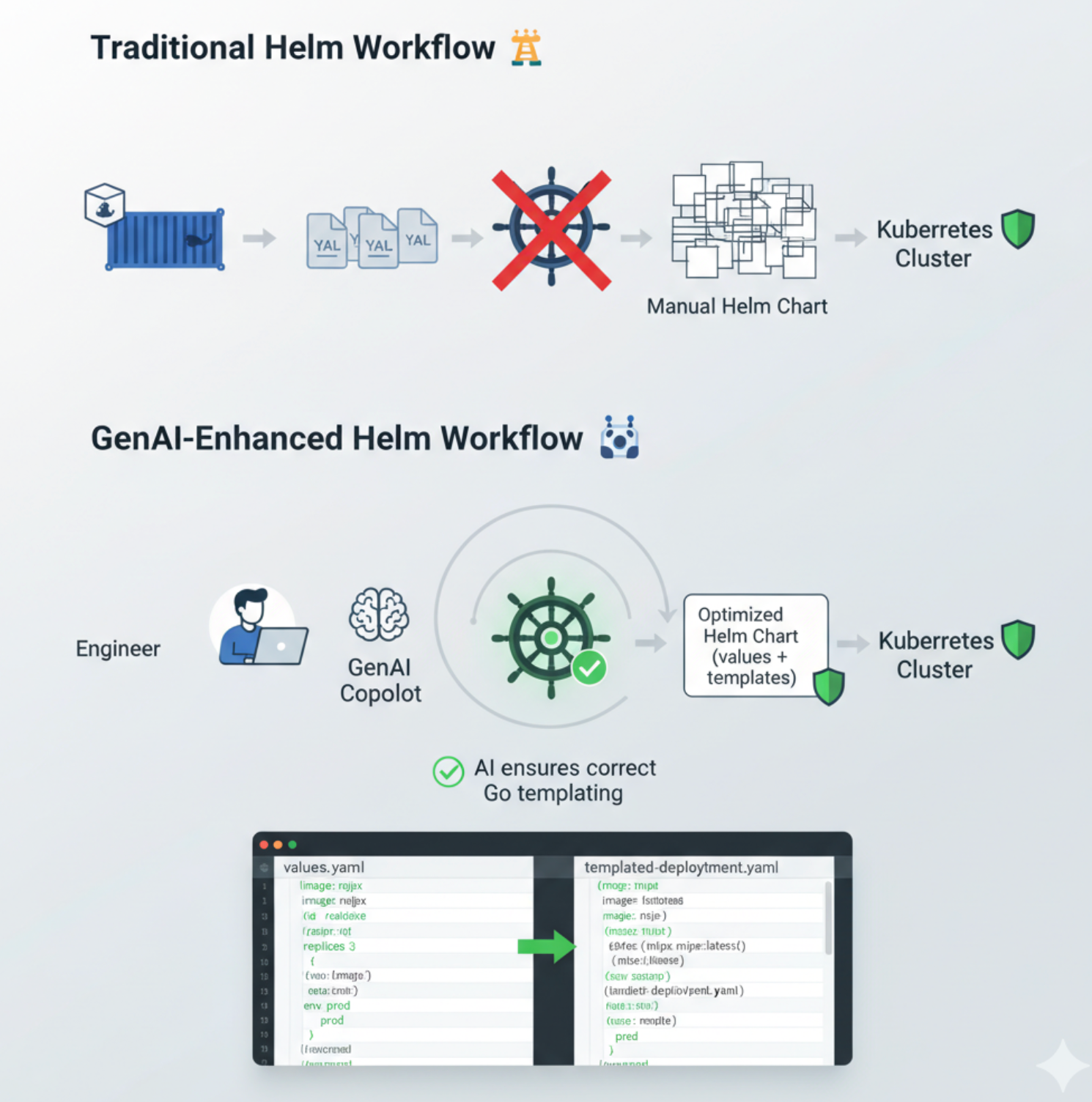
How GenAI Helped Me as an SRE :
🛠️ Scaffolded Helm Charts for all 3–4 microservices in minutes.
🌍 Generated environment-aware
values.yaml(dev, staging, prod).🔍 Helped me debug templating mistakes that would’ve taken hours.
📦 Suggested reusable charts so all services followed a standard pattern.
This not only saved time ⏳ but also gave confidence that every deployment was auditable, reproducible, and scalable.
🛡️ Kubernetes Audits & Security with GenAI :
Once your microservices are deployed with Helm + K8s, the real question becomes:
👉 Are these workloads secure, compliant, and production-ready?
In traditional setups, auditing Kubernetes clusters means:
Running
kubectl describeendlessly 🔄Using static tools like kube-bench, kubectl doctor, or security plugins 🛠️
Writing custom scripts to check RBAC, NetworkPolicies, PodSecurity standards ⚖️
The problem? Audits are manual, time-consuming, and reactive. You only discover issues after they’ve already impacted production.
GenAI flips the script 🤖 → it brings proactive, intelligent auditing into your DevOps workflow.
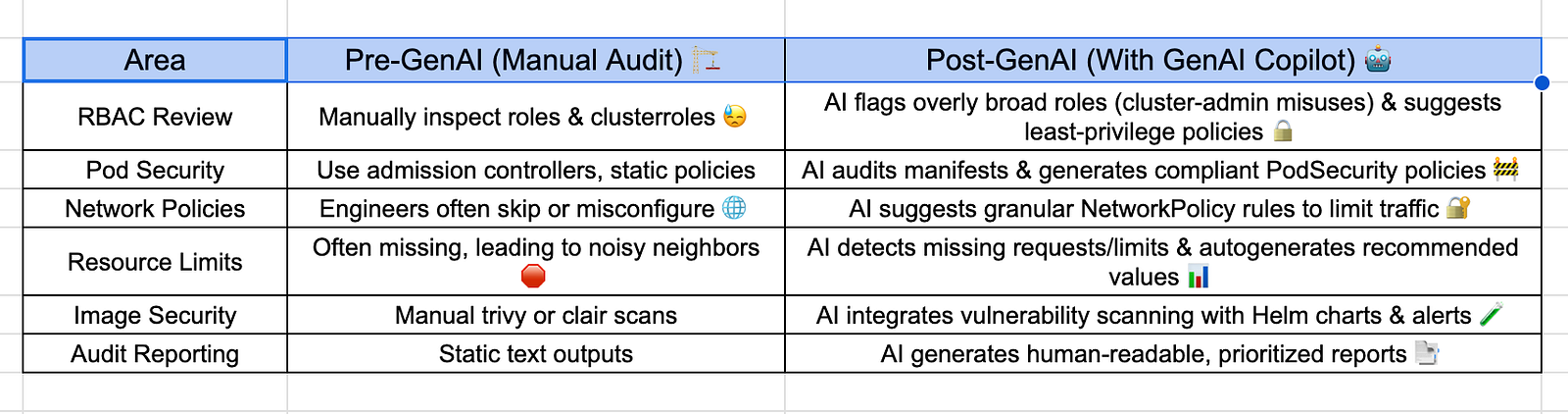
Example: AI Suggesting an RBAC Fix
Let’s say you mistakenly granted a microservice cluster-admin:
apiVersion: rbac.authorization.k8s.io/v1
kind: ClusterRoleBinding
metadata:
  name: orderservice-admin
roleRef:
  kind: ClusterRole
  name: cluster-admin
  apiGroup: rbac.authorization.k8s.io
subjects:
  - kind: ServiceAccount
    name: orderservice
    namespace: default
⚠️ Without audits, this could compromise the whole cluster.
With GenAI, it suggested a least-privilege policy:
apiVersion: rbac.authorization.k8s.io/v1
kind: Role
metadata:
  name: orderservice-role
  namespace: default
rules:
  - apiGroups: [""]
    resources: ["pods", "services", "configmaps"]
    verbs: ["get", "list", "watch"]
---
apiVersion: rbac.authorization.k8s.io/v1
kind: RoleBinding
metadata:
  name: orderservice-binding
  namespace: default
subjects:
  - kind: ServiceAccount
    name: orderservice
    namespace: default
roleRef:
  kind: Role
  name: orderservice-role
  apiGroup: rbac.authorization.k8s.io
⚠️ Without audits, this could compromise the whole cluster.
With GenAI, it suggested a least-privilege policy:
apiVersion: rbac.authorization.k8s.io/v1
kind: Role
metadata:
  name: orderservice-role
  namespace: default
rules:
  - apiGroups: [""]
    resources: ["pods", "services", "configmaps"]
    verbs: ["get", "list", "watch"]
---
apiVersion: rbac.authorization.k8s.io/v1
kind: RoleBinding
metadata:
  name: orderservice-binding
  namespace: default
subjects:
  - kind: ServiceAccount
    name: orderservice
    namespace: default
roleRef:
  kind: Role
  name: orderservice-role
  apiGroup: rbac.authorization.k8s.io
Now the service account only accesses what it truly needs.
AI-Powered Audit Report Example
Instead of raw logs, GenAI produced something like this 👇
🔍 Kubernetes Audit Report (Generated by GenAI)

✅ Orderservice Deployment uses resource requests/limits
⚠️ MongoDB Deployment missing resource limits (recommend CPU=500m, Mem=1Gi)
❌ Orderservice ClusterRoleBinding grants cluster-admin (Critical Risk)
✅ Postgres PVC mounted correctly with Retain policy
⚠️ NetworkPolicy missing between Orderservice → Postgres (Recommend restrict to port 5432)
This gave me clear, actionable insights rather than vague error messages.
Real-World Impact 🌍
🛡️ Improved Security Posture — least-privilege RBAC, proper NetworkPolicies.
🚀 Faster Remediation — AI suggested fixes in YAML directly.
📑 Compliance Ready — AI-generated audit reports useful for SOC2, ISO audits.
🔁 Continuous Auditing — audits weren’t one-off, AI made them ongoing.

✨ With this, your journey looks like a story arc:
Docker → Kubernetes Migration 🌊
Storage (PVCs + NAS) 💾
ConfigMaps & Secrets 🔐
Helm Charts ⎈
Kubernetes Audits 🛡️
And GenAI is the copilot connecting all steps together, ensuring deployments are faster, smarter, and safer.
🎯 Conclusion: GenAI as the Copilot of Kubernetes & Helm
When I started migrating from Docker → Kubernetes + Helm, the journey felt overwhelming.
Dozens of YAMLs to manage 📝
Complex database PVC setups with NAS 💾
ConfigMaps & Secrets to secure 🔐
Helm charts that easily turned into simple implementation🍝
And audits that felt like chasing ghosts 👻
But bringing GenAI into the workflow changed everything. It wasn’t just about writing YAMLs faster — it was about thinking smarter, preventing mistakes, and building confidence.
GenAI became my DevOps Copilot 🤝:
Suggesting the right configs when I was unsure.
Preventing bad security practices before they hit production.
Auditing my cluster in real time with actionable insights.
Helping me standardize Helm charts across microservices.
Turning Kubernetes from “scary” to manageable and reliable.
This wasn’t just a migration — it was a transformation.
📝 Key Takeaways
✅ Start with understanding your workloads → microservices, DBs, storage needs.
✅ Use PVCs with NAS for durability → and let GenAI guide size/class choices.
✅ Secure everything with ConfigMaps & Secrets → GenAI ensures no plaintext leaks.
✅ Standardize with Helm → AI scaffolds and validates charts, saving hours.
✅ Audit continuously → GenAI flags RBAC, security, and compliance risks.
✅ Think of GenAI as a Copilot, not a replacement → you still decide, but faster, smarter, and safer.
🚀 Final Thought
Kubernetes and Helm are powerful — but also intimidating. The YAML jungle, the endless audits, the risk of misconfigurations… we’ve all been there.
What GenAI brings is not just automation, but intelligence. It doesn’t just do the work for you — it guides, explains, and evolves with your cluster.
And as an SRE/DevOps engineer, that’s the ultimate win 🏆.
I can now spend more time scaling, optimizing, and innovating — instead of firefighting YAML errors or chasing audit warnings.
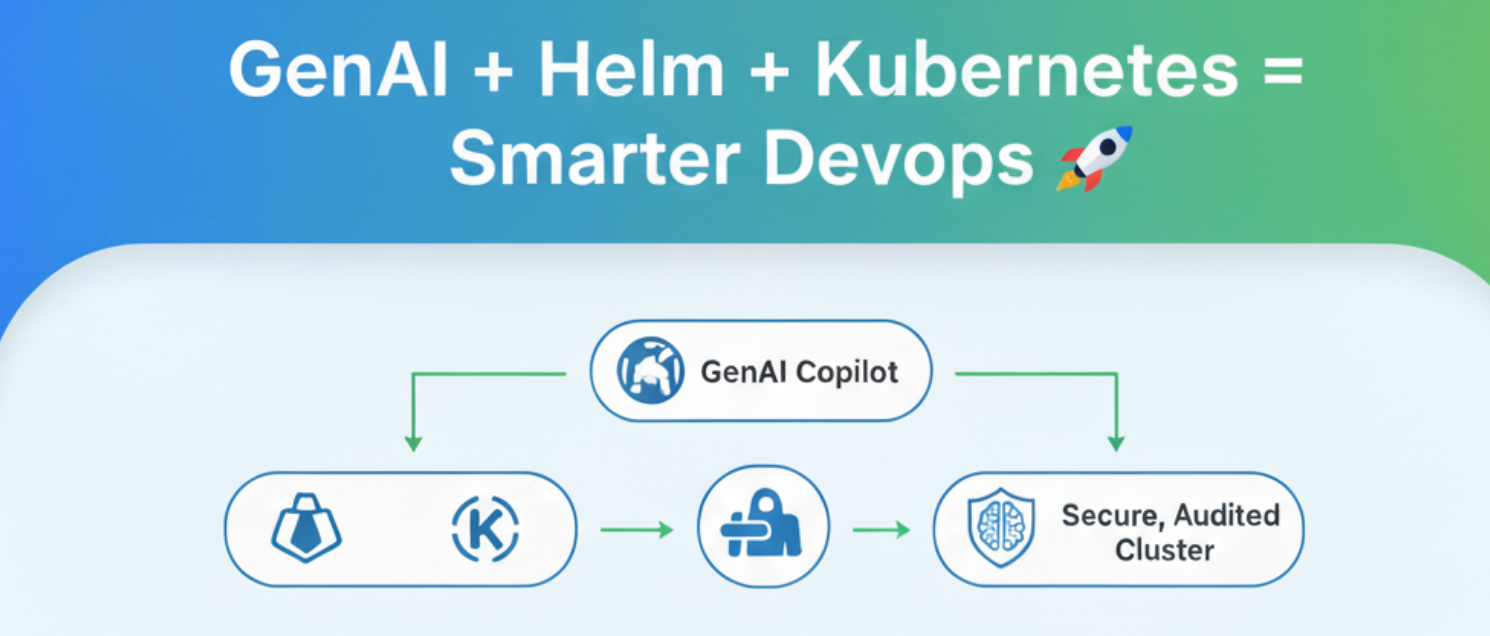
So if you’re starting your journey from Docker → Kubernetes → Helm, remember:
👉 Don’t walk alone. Take GenAI as your copilot. 🤖✨
